
Installation Guide
Requirements
- The installation method introduced on this page is only for the Windows PC version (Steam / Epic Games).
- macOS is not supported. Operation in dual-boot environments or similar setups is not guaranteed. We cannot provide support even if you contact us.
- If your PC name contains full-width characters, the launcher will not start. Please use only half-width alphanumeric characters.
How to Install
- Download the SuperNewRoles Launcher from this link.
※ Depending on your browser, a warning may appear and prevent the download.
In that case, do not discard it. Click the “▼” next to the warning message,
then select “Keep” to download it.
Run the downloaded exe file.
If a Windows Defender warning appears:
Click “More info” → then click “Run anyway”.
| Click More info | Click Run anyway |
|---|---|
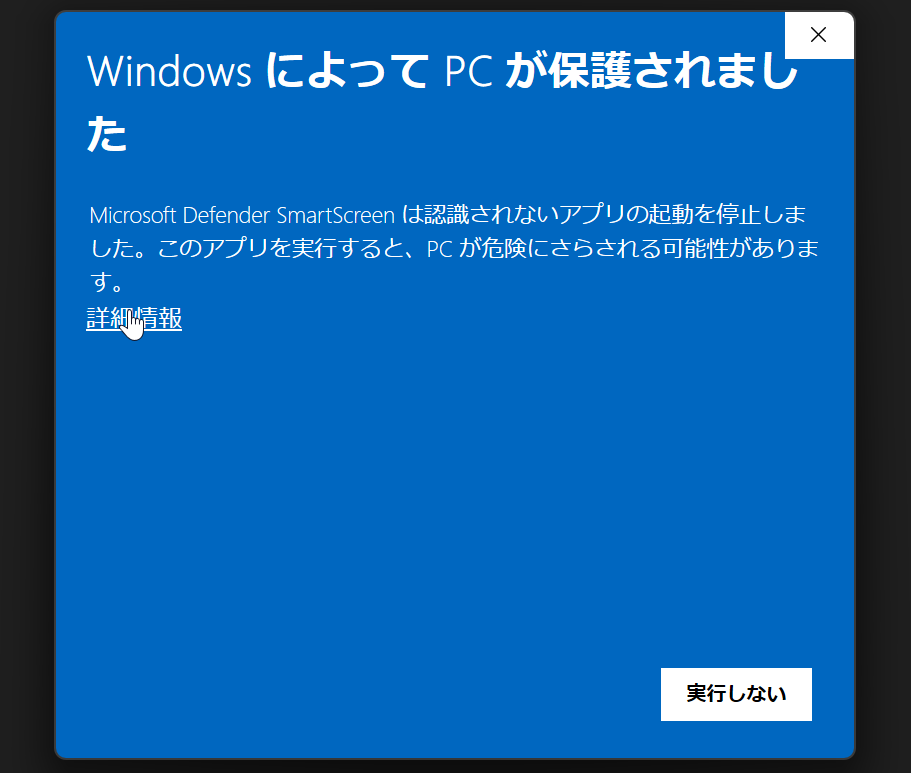 | 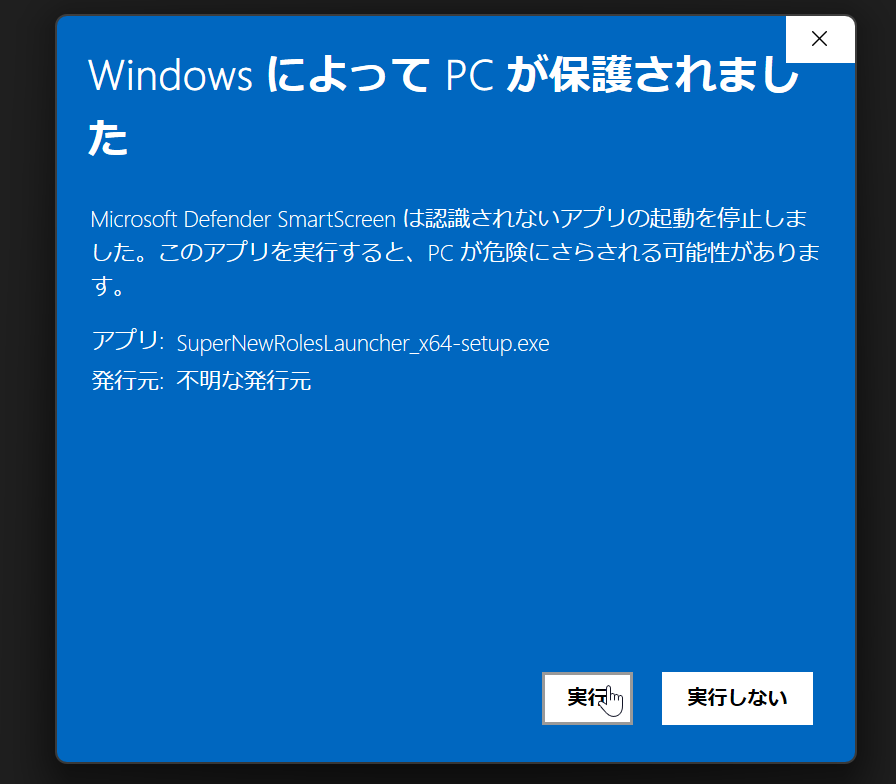 |
Follow the on-screen instructions to install the SuperNewRoles Launcher.
In most cases, you can simply click “Next” for everything.Once the SuperNewRoles Launcher starts, follow the on-screen instructions to install SuperNewRoles.
If you have already installed SuperNewRoles, you can carry over your settings and other data by enabling “Import Existing Data” → “Import data from an installed SuperNewRoles”.
- Launch!
Simply press the “Launch” button to start SuperNewRoles!
The first launch may take some time.
If the launch screen has changed like the image above, the installation was successful.