
In-Game Reports
Table of Contents
What Are In-Game Reports?
- This feature allows you to send questions, bug reports, requests, and other messages to the developers from within the game.
- You can continue exchanging messages with the developers even after sending a report.
Note
- Since the developers reply directly, it may take some time to receive a response. Thank you for your understanding.
How to Submit a Report
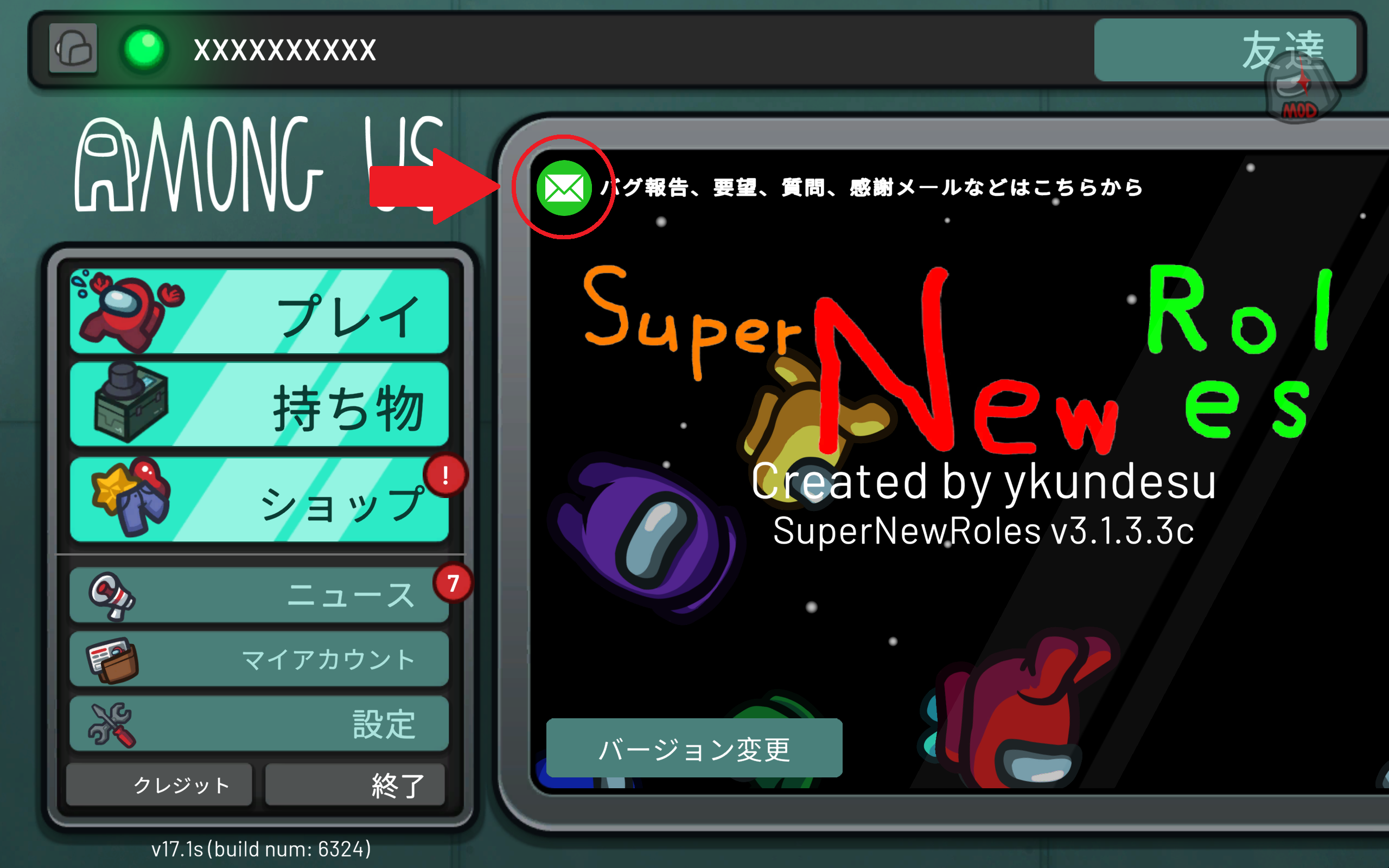
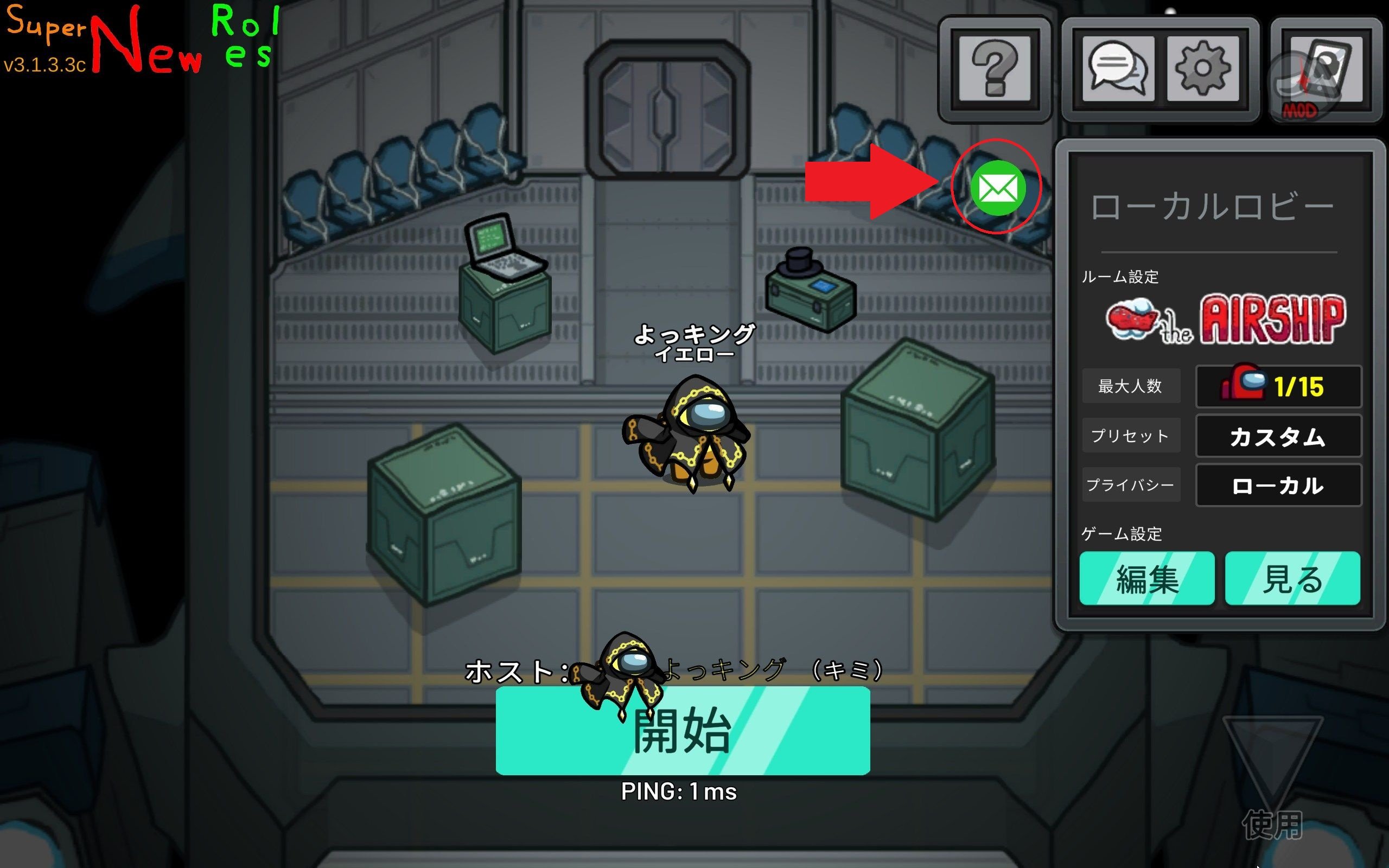
1. Click the mail icon
Click the mail icon displayed on the main menu or in-game.
2. Select the type of report
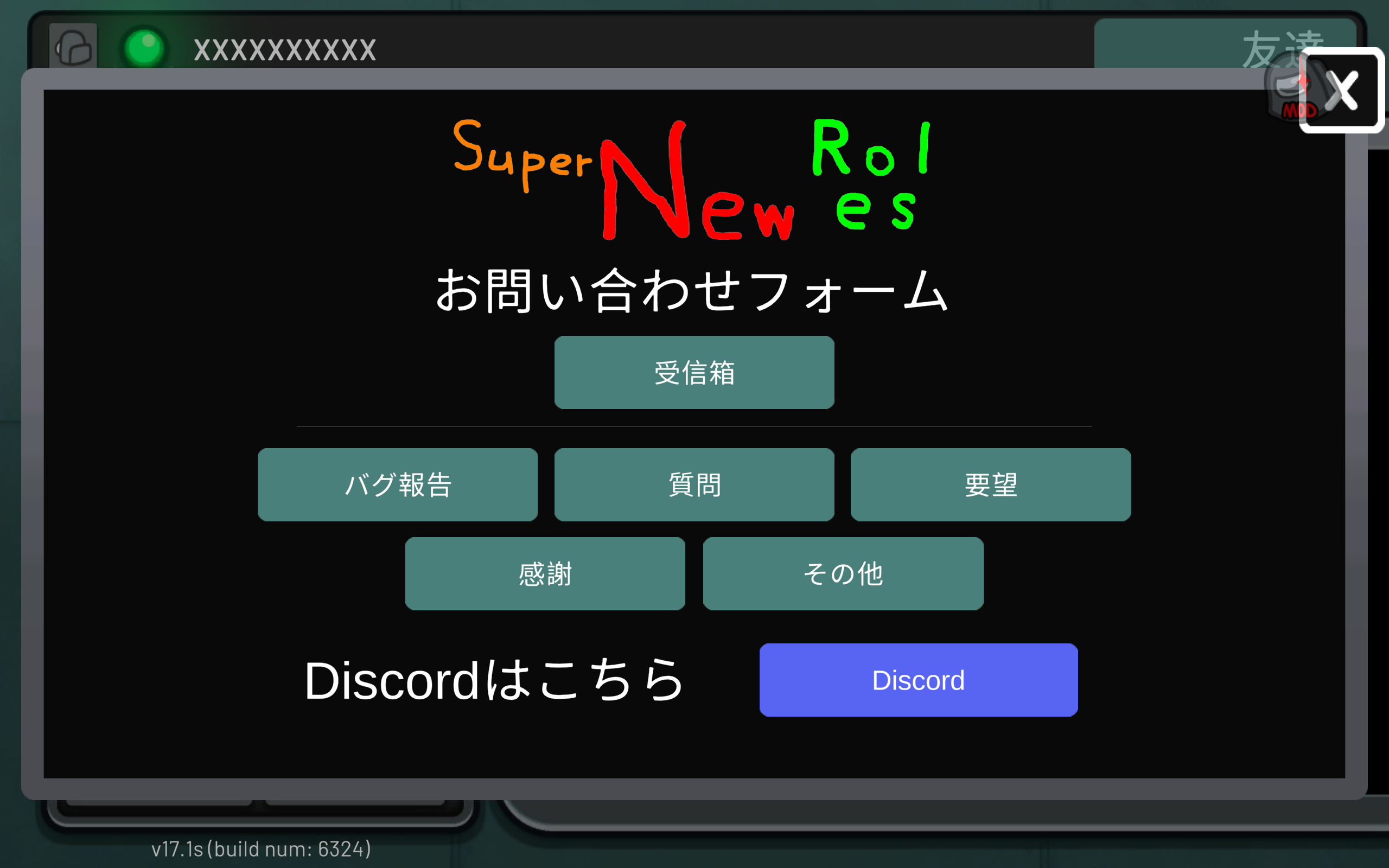
Choose one of the following based on what you want to report.
- Bug Report: A category for reporting bugs. Activity logs needed to fix the issue will be sent automatically.
- Question: A category for asking questions about how to use features or about role specifications.
- Request: A category for sending requests, such as suggestions for new features.
- Thanks: A category for sending thanks to the developers. This makes the developers happy.
- Other: A category for sending anything that does not fit into the categories above.
3. Enter the details of your report
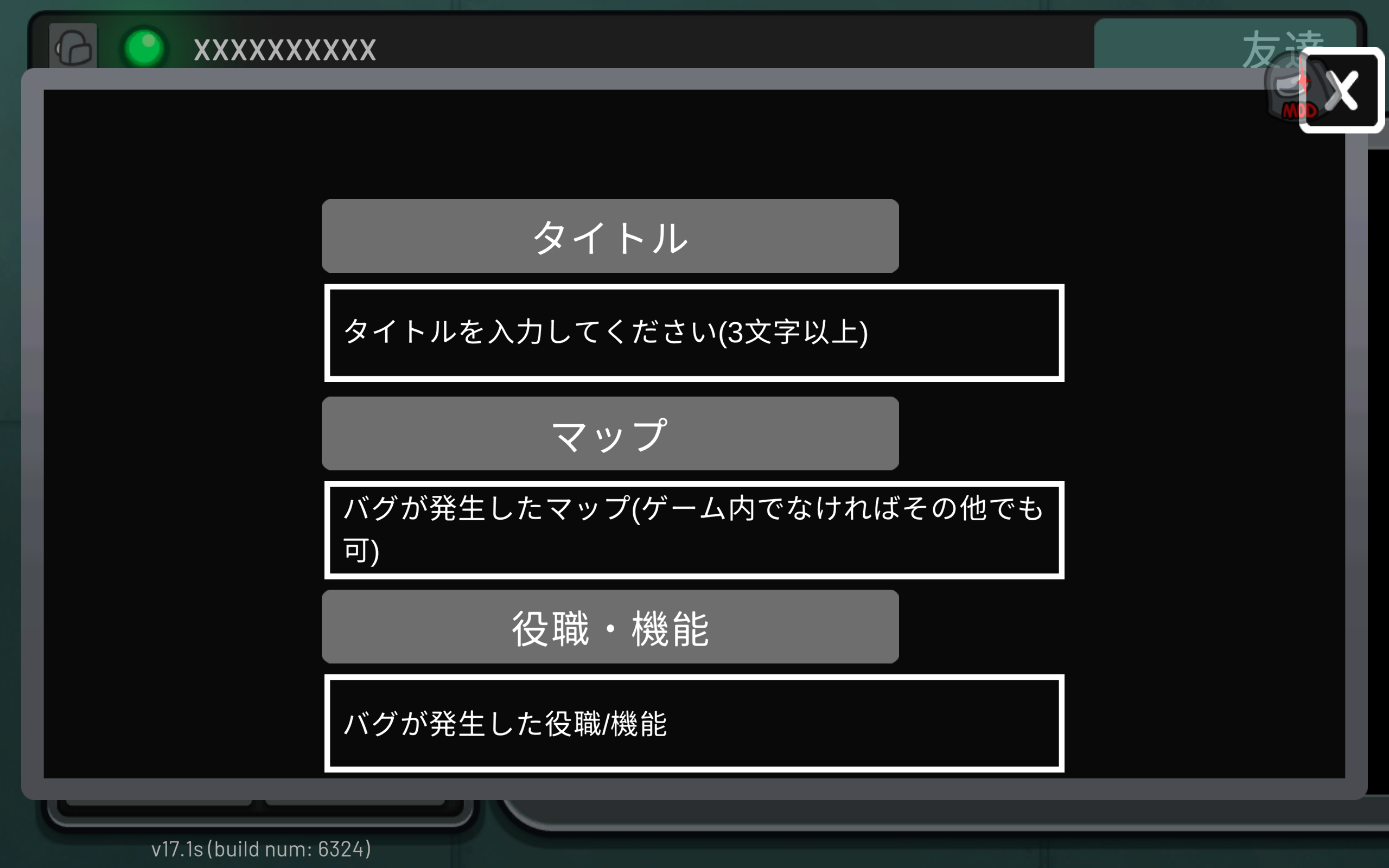
Enter a title and message.
For Bug Reports, you also need to enter information such as the map where the issue occurred.
4. Send
Press the send button to send your report to the developers.
You can check messages you have sent from your inbox.
If you receive a message from the developers, a red badge will appear on the mail icon.
Information Attached Automatically
For all categories, the following information is sent in addition to the title and message you entered.
- SNR version
- Among Us version
- Platform being used
For Bug Reports, the following information is also compressed and attached automatically for investigation purposes.
- Current game mode
- SNR runtime logs
ErrorLog.logif the file exists and contains data- Vanilla game settings
- All SNR custom settings and selected values
- Settings for standard roles, modifiers, and ghost roles
- Exclusive groups and maximum number of selections
The logs may include activity information from before and after the issue occurred. If you do not want this information to be attached automatically, please use a reporting method outside the game before sending.
Drafts
- The title and message you are entering are automatically saved on your device for each report category.
- For bug reports, the map, role, and timing of occurrence are also saved as part of the draft.
- Even if you close the screen, the draft will be restored when you open the same category again.
- Saved content is deleted when the report is sent successfully or when the draft is cleared.