Bug Report
Table of Contents
Reporting from within the game (Recommended)
Please see In-Game Reporting.
Reporting on Discord
Where to Report
- Use this method if SuperNewRoles cannot be launched.
- On the official SNR Discord server, create a ticket in the [#バグ報告_bugreport] channel, and
submit your report in the channel that is created. - We do not accept reports through GitHub Issues.
How to Report
- Fill in the information in the template, attach the log, and submit your report.
Template
[Title]
[Mode]
[Version]
[Description]
[Log]
How to Obtain the Log
How to obtain the automatically saved log
- The logs saved here will be overwritten when the game is restarted.
- Please report the bug as soon as it occurs.
- Alternatively, after closing the game, temporarily save the log somewhere else to prevent it from being overwritten.
Instructions: How to obtain the automatically saved log
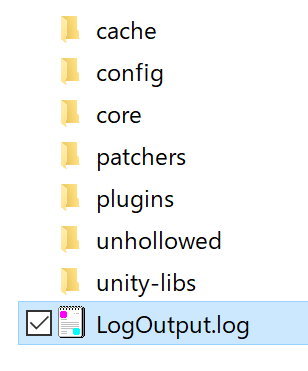
Open the folder where SNR is installed.
Open the BepInEx folder inside it.
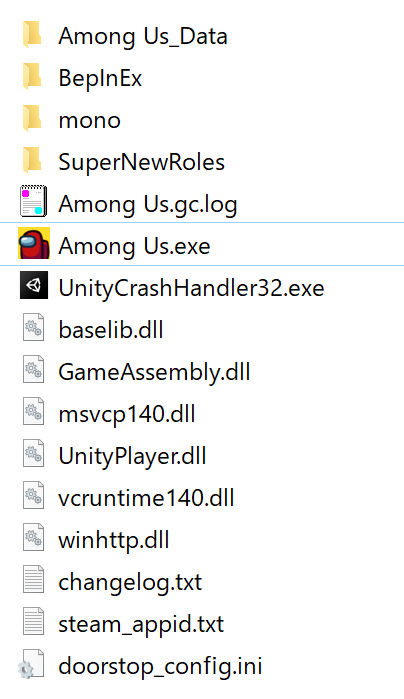
- This screenshot shows the folder structure when the Mod has been installed correctly.
- If the Mod cannot be launched, please compare your folder with the screenshot shown here.
Since
.LogOutput.logis located there, submit it to Discord by dragging and dropping it without opening it.