
Reporting and Blocking
Table of Contents
- What Are Reporting and Blocking?
- Available Servers
- How to Report a Player
- Information Sent with Reports
- What Happens After You Submit a Report
- How to Block a Player
- What Happens When You Block a Player
- Unblocking a Player
- About Identification IDs
- Warnings and Bans
- Frequently Asked Questions
What Are Reporting and Blocking?
These features are available on the official custom servers (Tokyo and US-East). They allow you to report players who violate the Code of Conduct to the moderation team, or prevent yourself from being placed in the same lobby as certain players.
- Report: Requests a review by the moderation team. Serious violations may result in a warning or ban.
- Block: Independently of any moderation review, makes it less likely that you and that player will be placed in the same lobby.
This Is Different from In-Game Reports (the Mail Icon)
The in-game report screen opened from the mail icon is a feature for sending bug reports and questions to the developers. It cannot be used to report other players. To report another player, follow the steps on this page.
Available Servers
This feature is only available when connected to the official SuperNewRoles custom servers (Tokyo and US-East).
- On servers other than the official custom servers, such as Among Us's official Asia, North America, or Europe servers, the report button will continue to submit reports to Among Us's official moderation system.
- The destination is shown at the top of the report screen. If it says
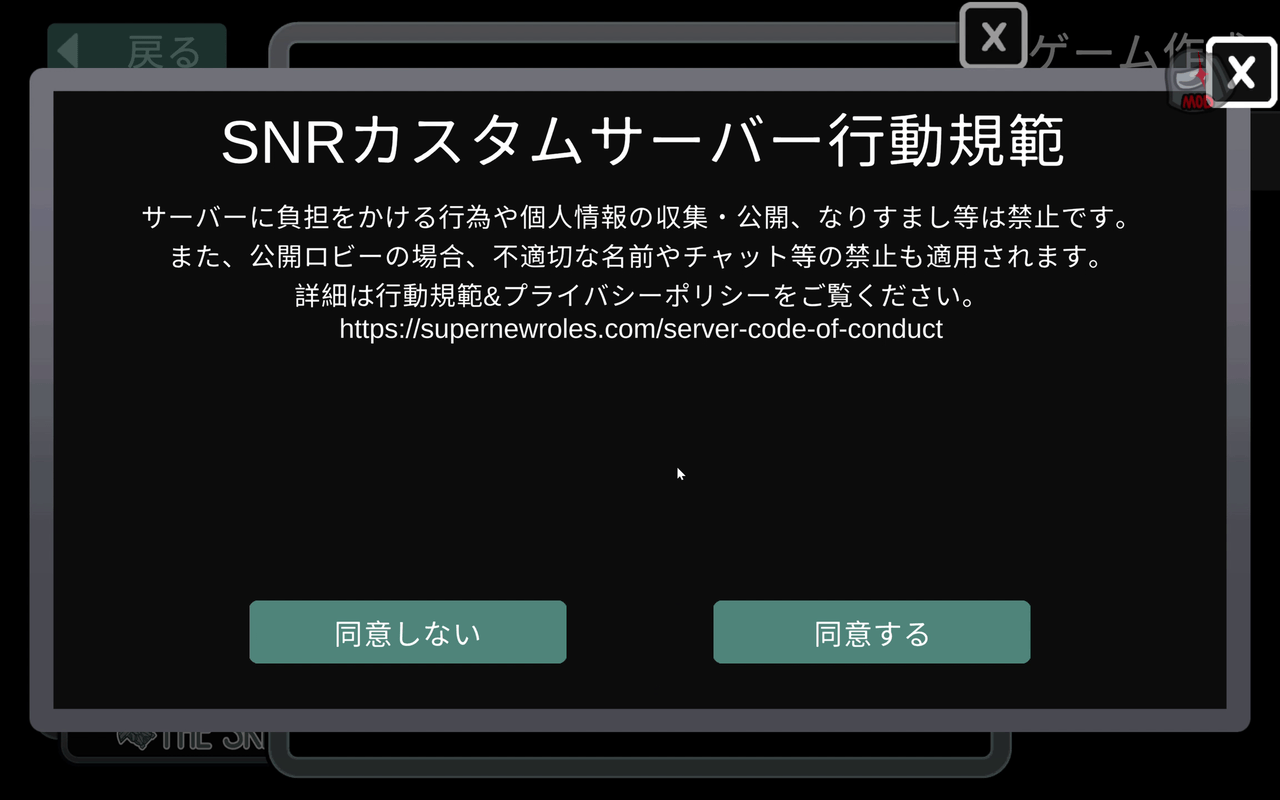
Report to SuperNewRoles Server, your report will be sent to the SuperNewRoles moderation team. - When connecting to an official custom server for the first time, you must agree to the Code of Conduct. Reporting and blocking are unavailable if you have not agreed.
How to Report a Player
1. Open the Friends List
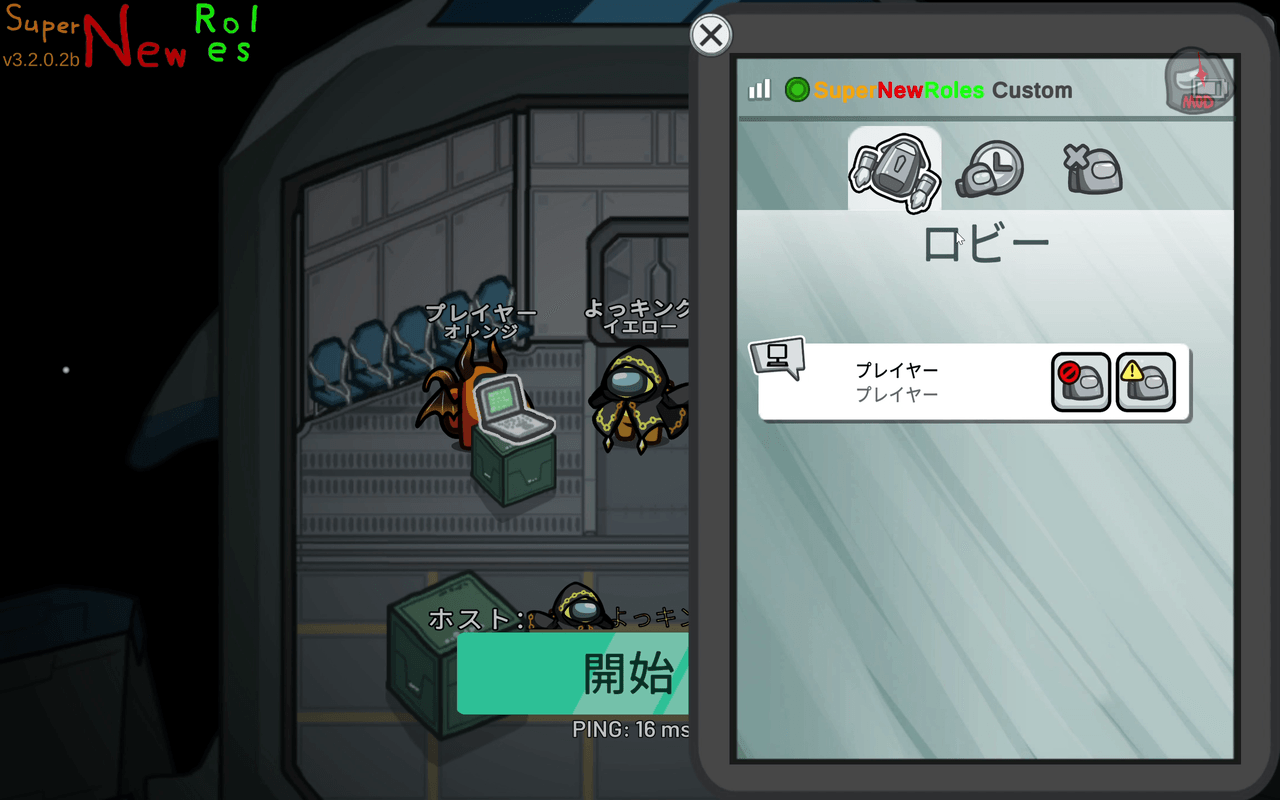
Open the Among Us friends list. When connected to an official custom server, it switches to the SuperNewRoles interface.
- Among Us friend-related tabs and the add-friend option are hidden.
- The header changes to
SuperNewRoles Custom. - There are three tabs:
Lobby,Recent Players, andBlocked Players. - Each player's row shows a block button (red prohibited symbol) and a report button (yellow warning symbol).
2. Press the Report Button for the Player You Want to Report
You can report either of the following:
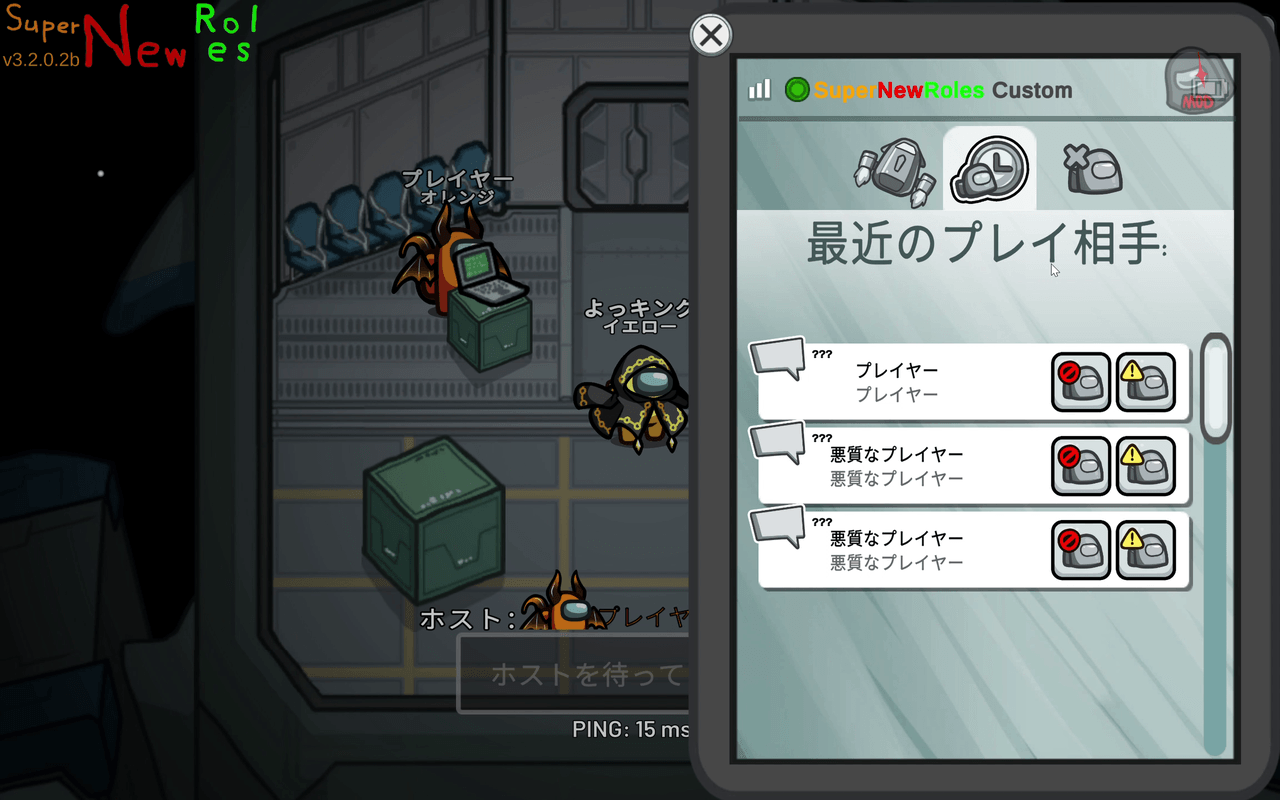
- A player currently in the same lobby as you (the
Lobbytab) - A player you recently played with (the
Recent Playerstab; up to 20 recent players are recorded)
You cannot report someone you have never been in the same lobby with, and you cannot report yourself.
3. Select a Reason and Submit
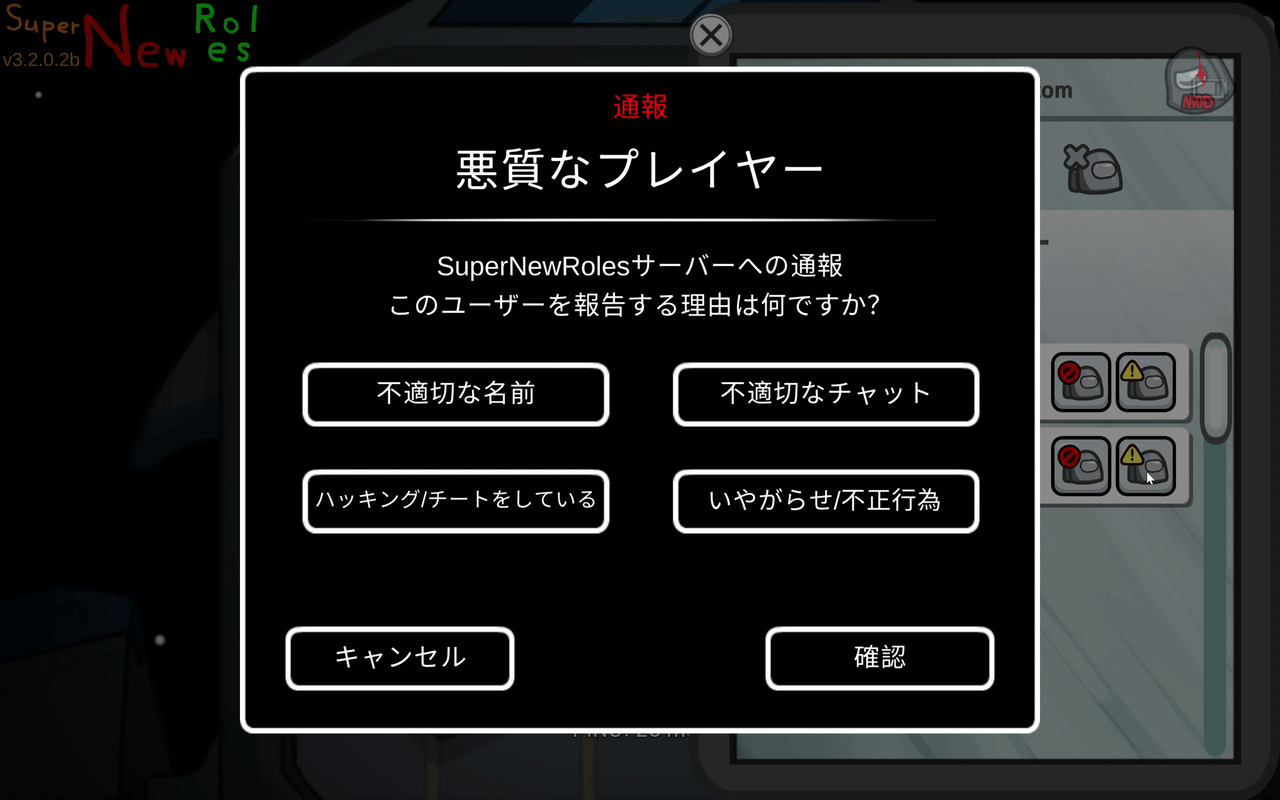
The report screen will open. Select a reason and press Confirm. Make sure the top of the screen says Report to SuperNewRoles Server.
| Reason | Main Examples |
|---|---|
| Inappropriate Name | Sexual or offensive names, impersonation, etc. |
| Inappropriate Chat | Abusive language, discrimination, sexual remarks, spam, etc. |
| Hacking/Cheating | Using cheat tools, unauthorized actions, server disruption, etc. |
| Harassment/Misconduct | Repeated taunting, ongoing harassment of a specific player, etc. |
For violations not listed above, choose the closest matching reason.
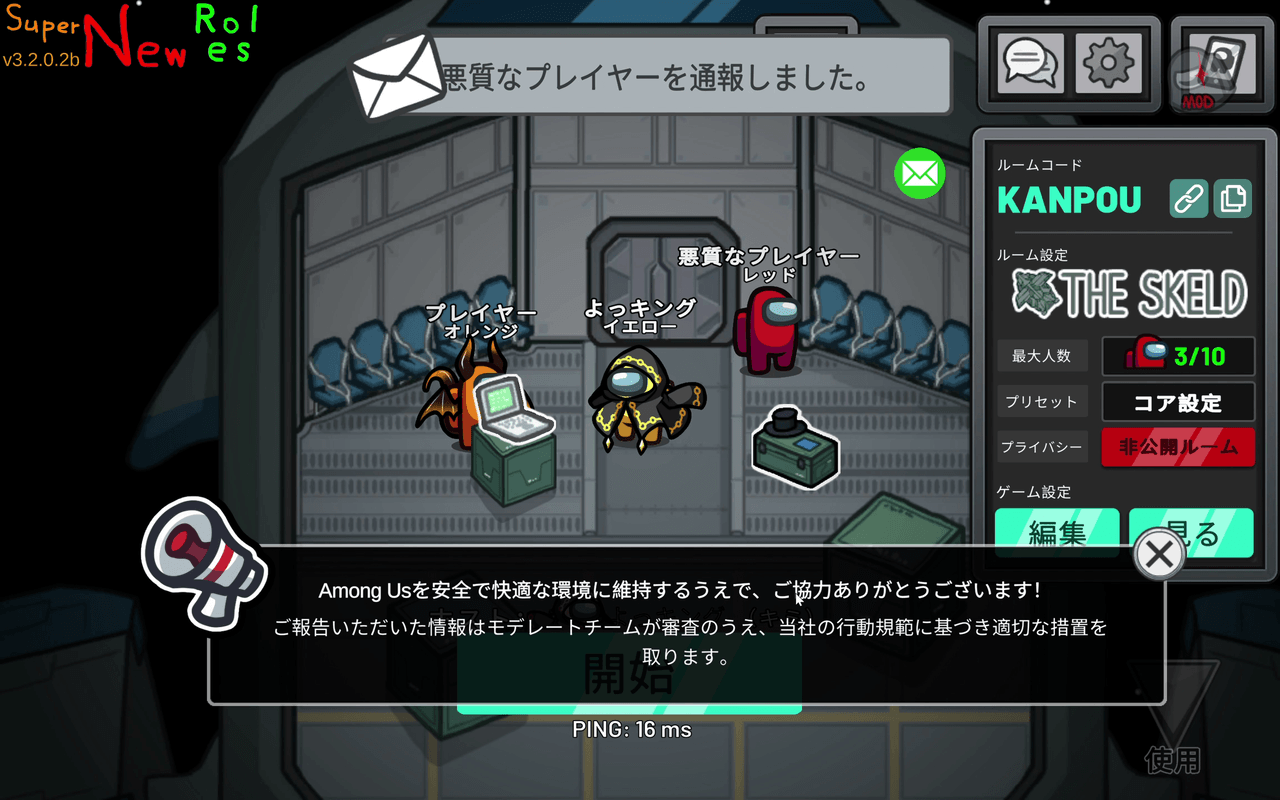
When the report is successfully submitted, You reported ○○. will appear at the top of the screen.
Information Sent with Reports
The following information is sent to the server when you submit a report:
- The lobby code and internal match ID
- Information used to identify the reported player, such as their identification ID
- The reason you selected
- The in-game names of the reporter and reported player
In addition, the chat logs for that lobby stored by the server are automatically attached for review purposes.
For details on retention periods and handling, see the Custom Server Privacy Policy.
What Happens After You Submit a Report
- Your report is recorded and awaits review by the moderation team.
- The moderation team reviews the report and may issue a warning, ban, or other action if a violation is confirmed.
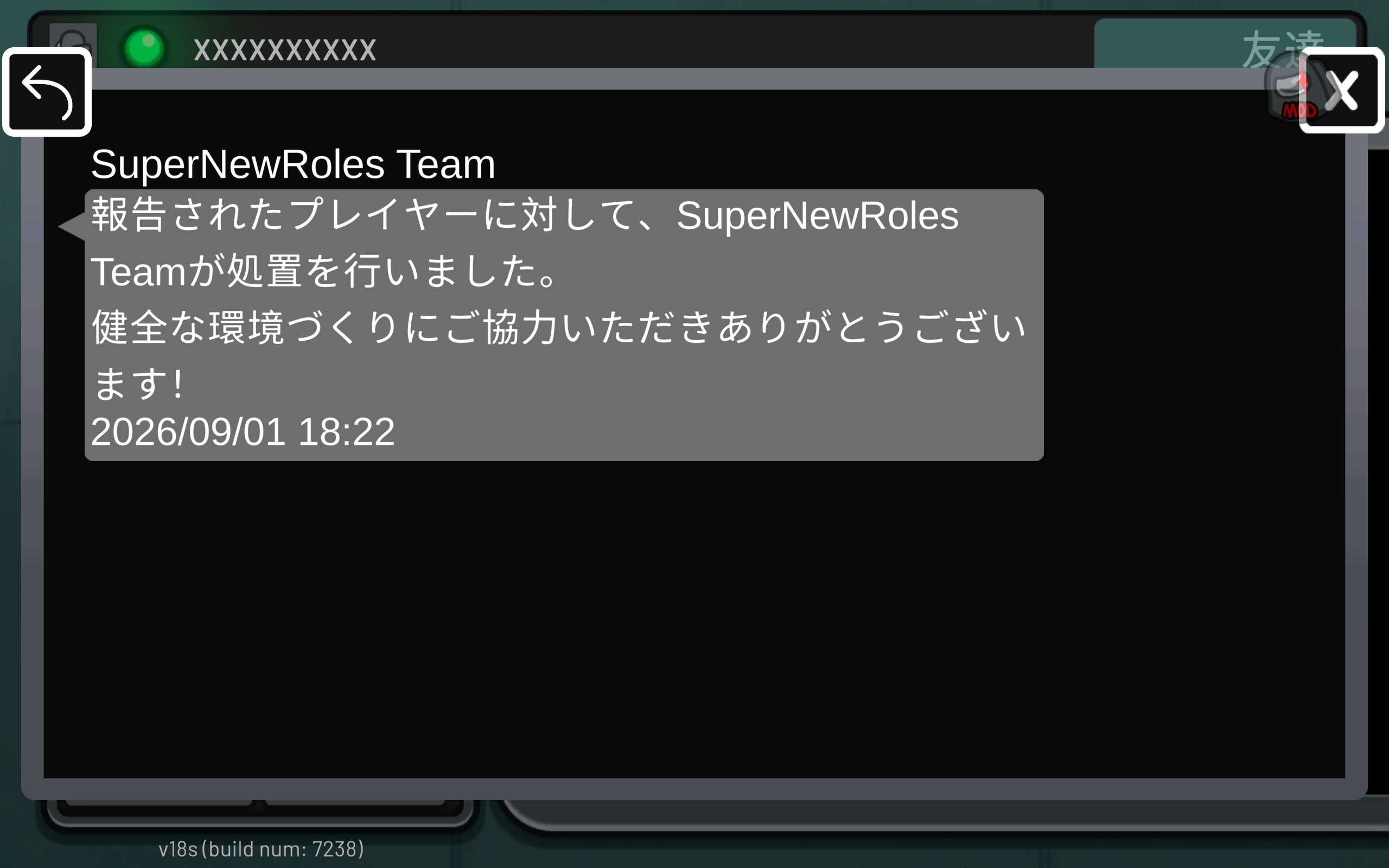
- If action is taken against the player you reported, you will receive a notification in the in-game report inbox.
Important Notes About Notifications
- Notifications use a standard message and do not show which player received which action.
- Not every report results in action. You will not receive a notification if the behavior is determined not to be a violation.
- Reviews take time. Results will not be immediate.
- Reports cannot be withdrawn once submitted. Please review your report carefully before sending it.
Please Do Not Submit False Reports
The Code of Conduct prohibits misuse of the reporting feature. Reporting someone while knowing they have not violated the rules, repeatedly reporting the same person to harass them, or encouraging other players to submit false reports is itself subject to moderation action. It is okay to submit a report if you are genuinely unsure whether something is a violation.
How to Block a Player
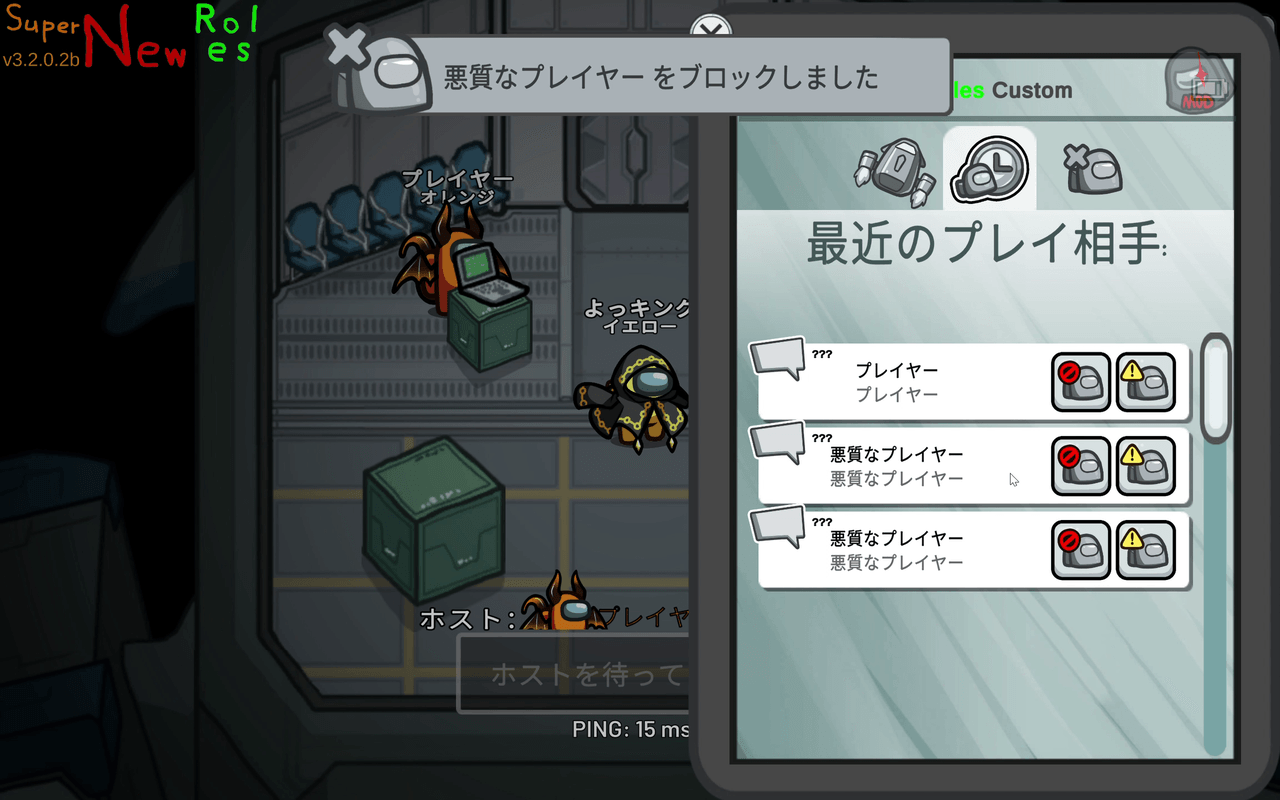
You can block a player using the block button in their row on the friends list.
As with reporting, you can block a player currently in the same lobby as you or a player you recently played with.
Press Confirm in the confirmation dialog to block the player. You will see You blocked ○○. The other player will not be notified that you blocked them.
What Happens When You Block a Player
Blocking is a feature designed to prevent you from being in the same lobby. Its behavior varies depending on whether you are the one blocking or being blocked.
If You Are the Host
- If a blocked player is currently in your lobby, they will be removed immediately. Other participants will see:
○○ left because they were blocked by the host. - The blocked player will no longer be able to join your lobby. They will see:
You are blocked by the host. - If the mod setting
Notify on Blocked Join Denialis enabled, you will receive a notification when a blocked player's attempt to join is denied.
If You Are a Participant
- If you block the lobby host, you will leave that lobby.
- You will no longer be able to join lobbies hosted by that player. You will see:
You cannot join a lobby hosted by a player you have blocked.
In the Public Lobby List
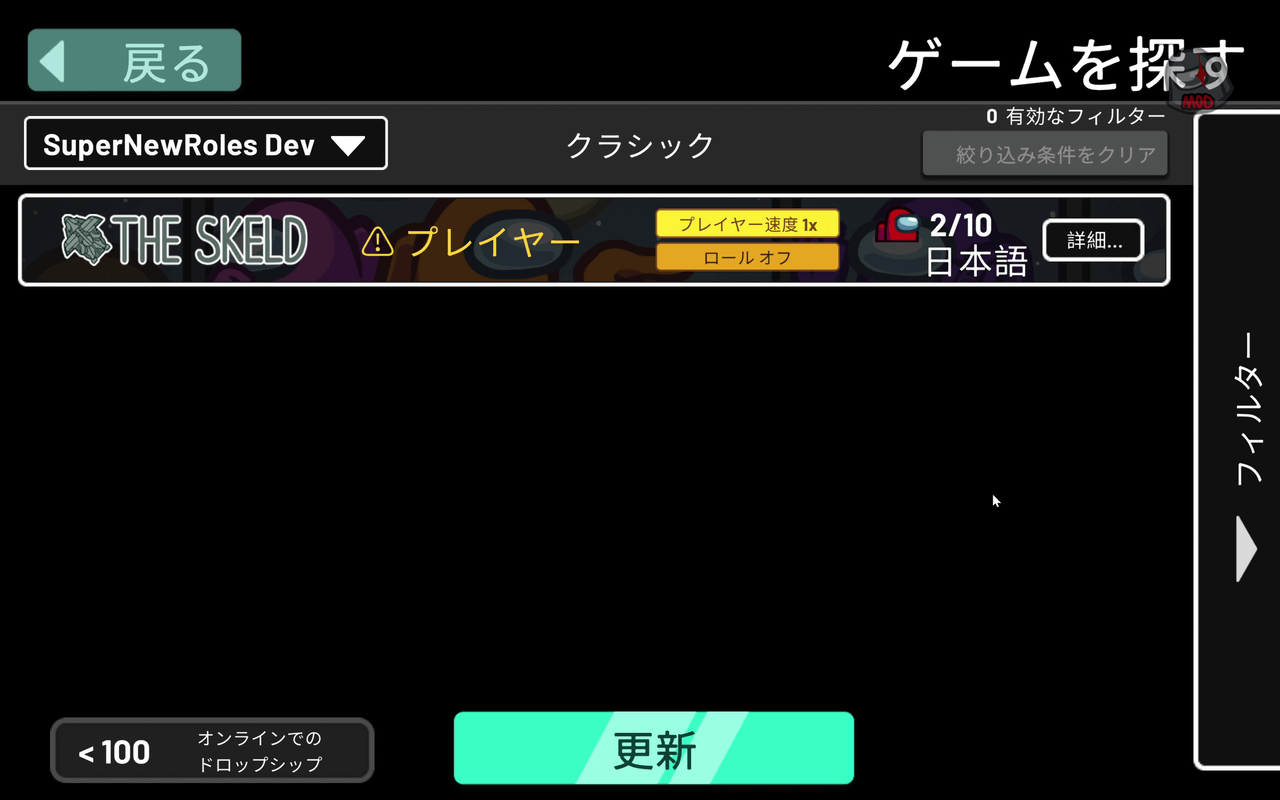
- Lobbies hosted by players you have blocked, as well as lobbies hosted by players who have blocked you, will no longer appear in the list.
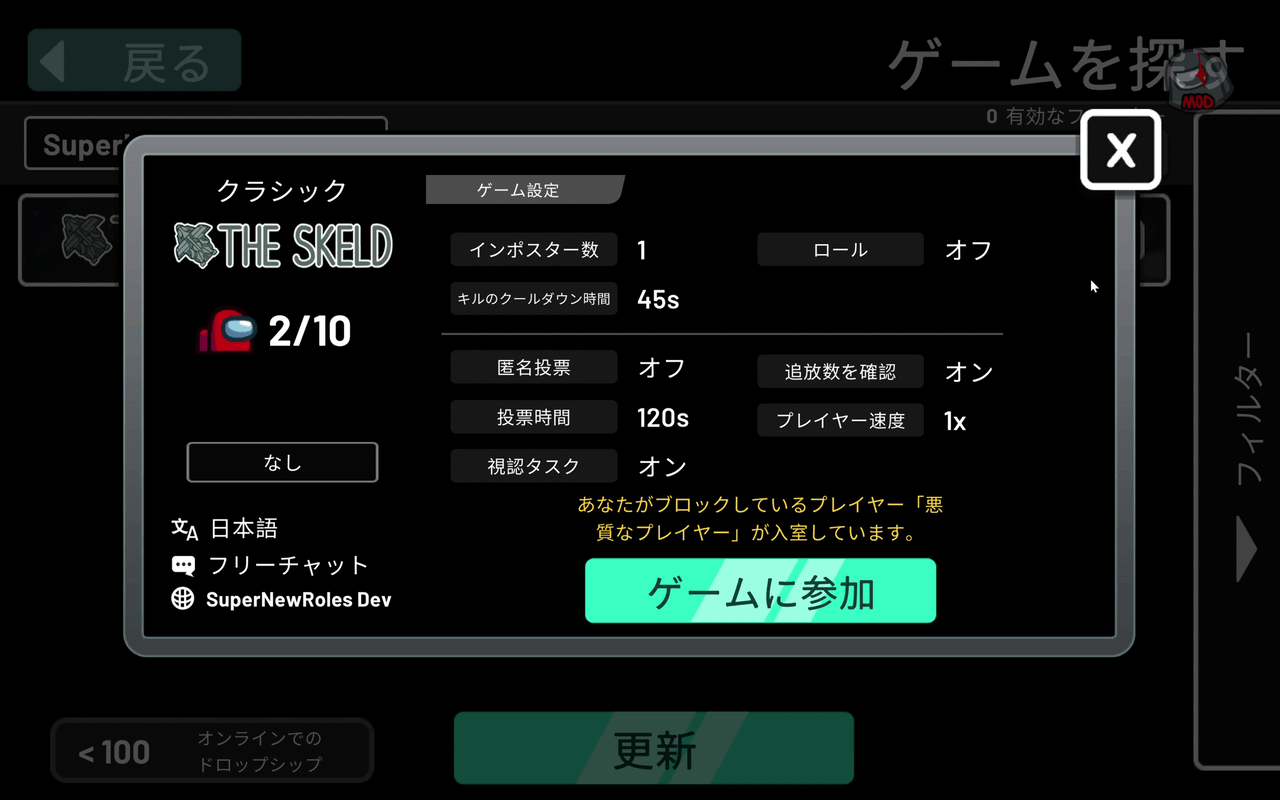
- Lobbies containing a blocked player who is not the host will still appear in the list. However, a
⚠will be added before the host's name, and the lobby details will display the warning:A player you have blocked, “○○,” is in this lobby.You can still join the lobby.
What Blocking Cannot Do
Since blocking controls lobby entry, it cannot do the following:
- It does not hide chat messages. Chat will still be visible while you are in the same lobby.
- It does not prevent you from joining a lobby that contains a blocked player who is not the host; it only displays a warning.
Also, blocking someone does not cause that person to block you.
Unblocking a Player
Open the Blocked Players tab in the friends list to view all players you have blocked.
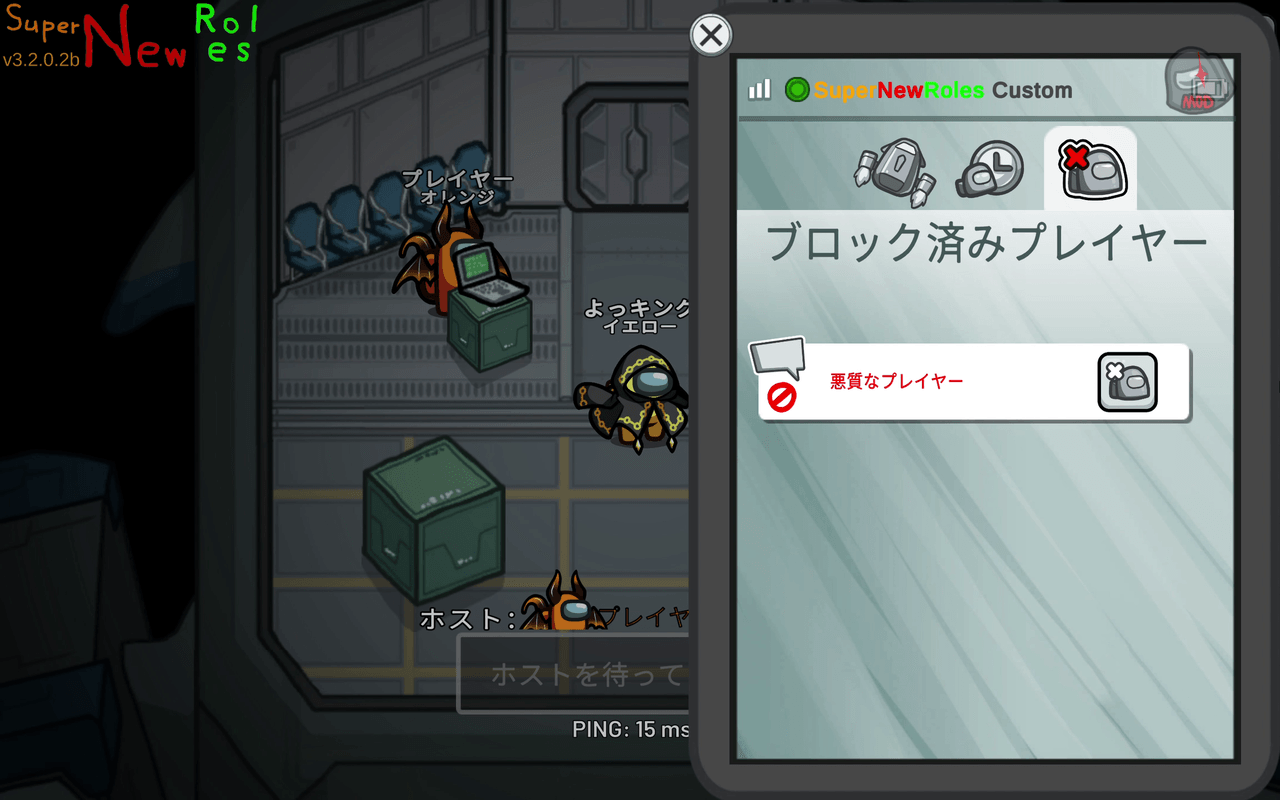
Press the unblock button next to the player you wish to unblock.
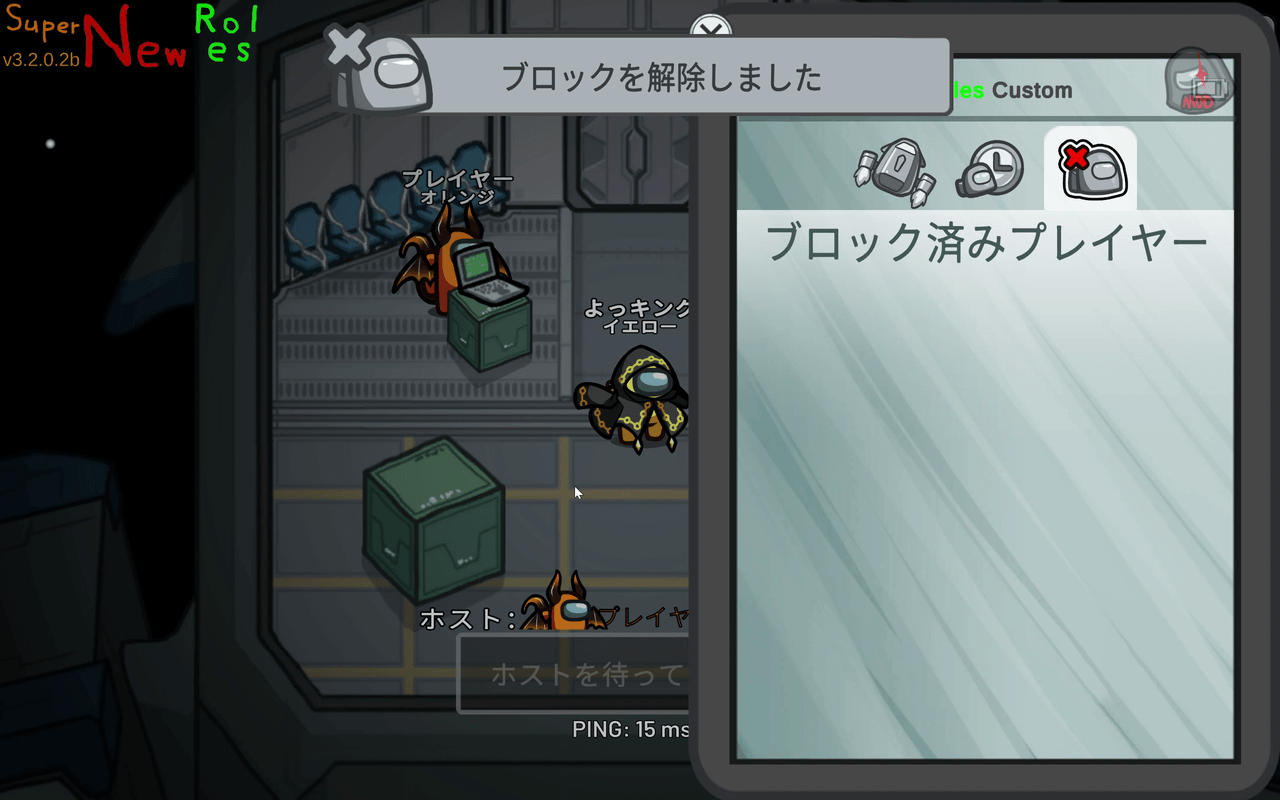
There is no specific limit on the number of players you can block.
About Identification IDs
Official custom servers identify players using identification IDs issued through the SuperNewRoles system, rather than Among Us friend codes. Reports, blocks, and bans are all linked to these identification IDs.
- Other players cannot see your identification ID.
- IDs sent to other players are temporary, so they cannot be used to trace past matches.
- Changing your name does not change your identification ID. You cannot avoid reports or blocks by changing your name.
Attempting to evade bans or other usage restrictions through another account or other means is prohibited by the Code of Conduct.
Warnings and Bans
Following a report review, the moderation team may take the following actions.
Warning
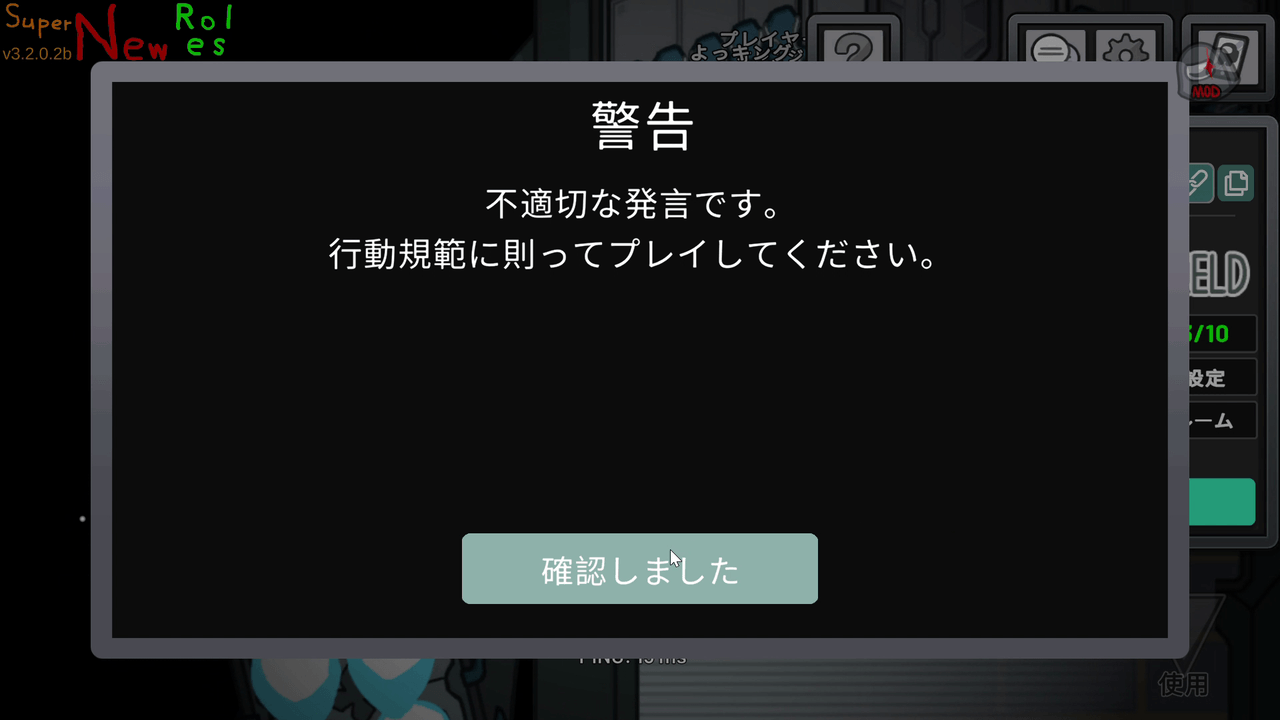
A warning popup will appear during gameplay. You will not be disconnected. Read the entire message and press I Understand.
Ban
You will no longer be able to play on official custom servers. The following information will be displayed when you attempt to connect:
- Reason
- Expiration date (
Indefiniteis displayed for permanent bans) - Inquiry ID
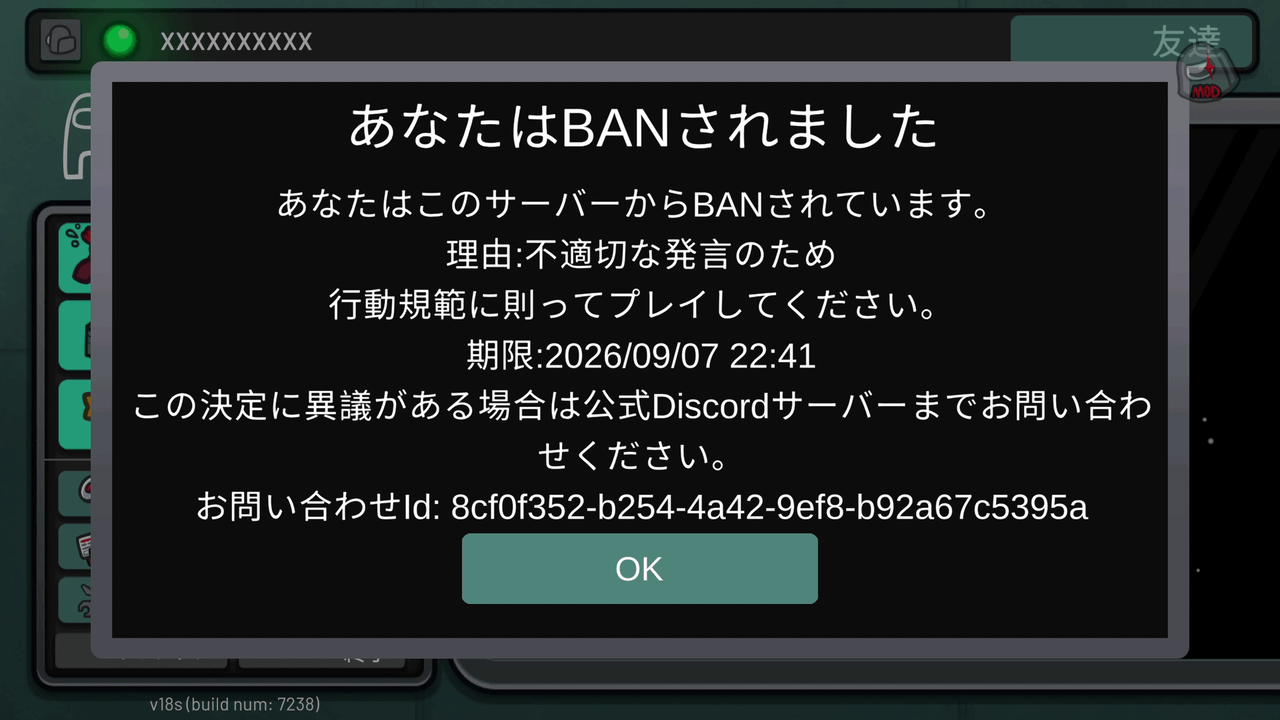
If you wish to dispute an action taken against you, contact us through the official Discord, including your Inquiry ID.
Frequently Asked Questions
I submitted a report but have not received any notification
You will not receive a notification if the behavior is determined not to be a violation, or if the report is still under review. Reviews can take time.
I want to know who reported me
Information about the reporter is never disclosed to the reported player. Likewise, the person submitting a report is not given details about any action taken.
I want to withdraw a report
There is no feature to withdraw a report after it has been submitted.
Can I report players in private lobbies?
You can submit reports in private lobbies. However, since it is not realistic to review every report from private lobbies, hosts should generally handle issues by kicking or blocking players at their own discretion. The moderation team will still address cheating, personal information, impersonation, misuse of the reporting feature, ban evasion, and server disruption, even in private lobbies. For details, see the Scope of the Code of Conduct.
Should I report or block a player?
- If you believe they are violating the Code of Conduct → Report
- If they are not violating the rules, but you do not want to be in the same lobby as them → Block
You can use both features.
I get a not_in_same_match / target_not_in_match error when reporting or blocking
Possible causes include:
- The SuperNewRoles server is down, or has just recovered from an outage.
- The other player is using SuperNewRoles v3.2.0.2b or earlier.
If the other player is using SuperNewRoles v3.2.0.2b or earlier and is behaving inappropriately, please kick them instead.