Skip to main contentIf You Cannot Create a Room or Join a Game
Status Details
- When attempting to create a room or start a game, you are banned from the room.
- When attempting to join a room or when the game starts, you are banned from the room.
Presumed Cause
- It is presumed that an issue has occurred with the [vanilla-side settings], causing Among Us’s official servers (North America, Europe, Asia) to detect you as cheating and ban you from the server.
- This issue is not caused by SNR; it is a vanilla-side problem.
- Therefore, it may also occur for the following users:
- Users playing vanilla or another mod via Steam or Epic
- Users playing on platforms other than Steam or Epic (Android, iOS, Switch, PS4, etc.)
- If this occurs as a guest and does not happen every time, other possibilities may also be considered.
- The room you joined may be using another mod, and you may have been banned due to that room’s specifications.
- You may have been banned because you are blocked on the host’s friend list.
- You may have been manually banned.
- etc...
How to Fix
Notes
- In most cases, this can be fixed with Fix Method 1 alone.
- If Fix Method 1 does not fix the issue, try Fix Method 2.
- Fix Method 2 involves resetting vanilla settings and editing files inside a hidden folder.
- Proceed at your own risk.
- If you do not want to perform Fix Method 2, please look for another solution.
Also, we do not accept questions such as “I don’t want to use Fix Method 2, so what should I do?”
- Fix Method 1 can also be used when the issue occurs on non-PC platforms (Android, iOS, Switch, PS4, etc.).
Fix Method 1_Create a Local Room with Recommended Settings
- From Play, press “Local.”

- Create a room in “Classic.”
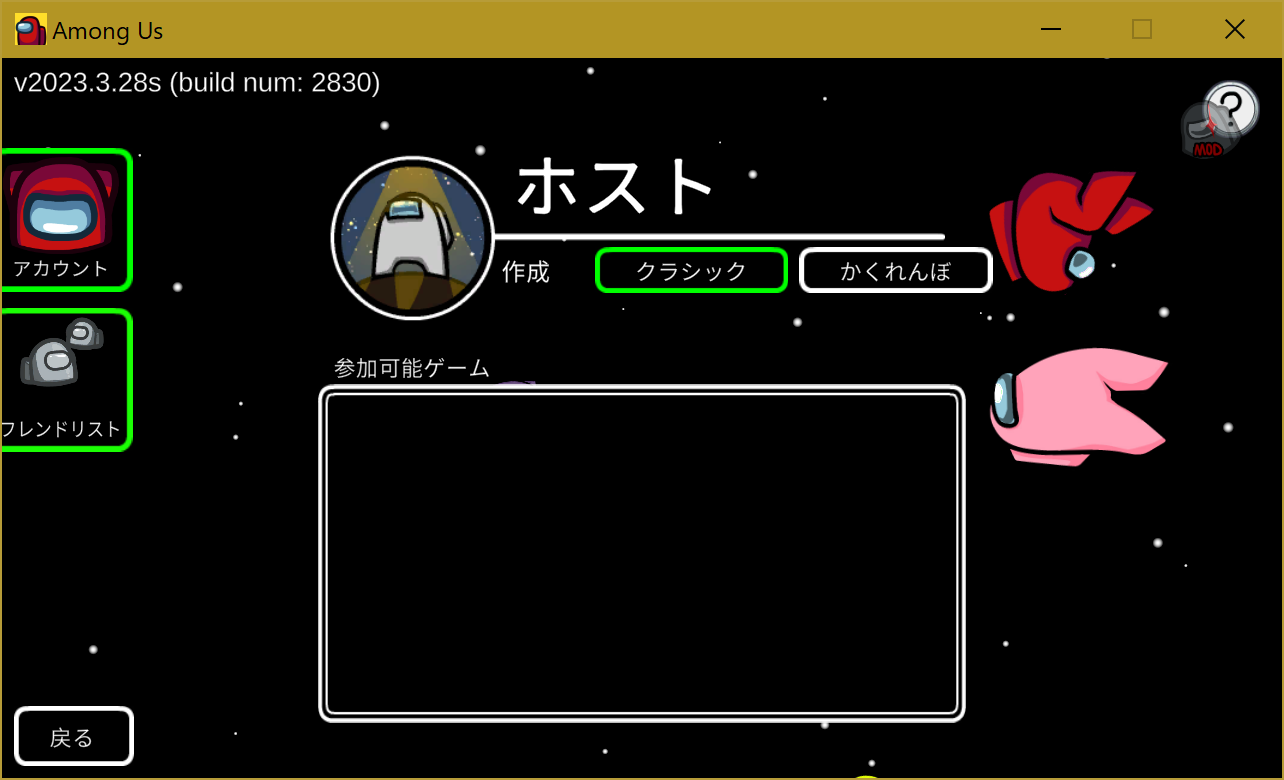
- Open the settings edit screen and change the settings to the recommended settings.
- Go to the Game/Preset Settings screen.

- Enable [Core Settings].
![Open the settings edit screen and change to recommended settings=>Enable [Core Settings]](https://github.com/user-attachments/assets/afcf70b8-23a4-4e8a-96bb-06d0753ce733 "Enable [Core Settings]")
- Enable [Various Roles]. (Simply enabling Core Settings will not restore the role settings properly, so this must also be enabled.)
![Open the settings edit screen and change to recommended settings=>Enable [Various Roles]](https://github.com/user-attachments/assets/f621115b-bf3c-40bd-bd57-d75cdd34c88e "Enable [Various Roles] (displayed in vanilla)")
- The game settings and role settings will be changed to the recommended settings.


- Create an online room, try starting the game, and check whether you are no longer banned.
- In SNR, you can start the game alone.
The following is the expected normal behavior when starting alone:- On Airship, after the intro is displayed, you select a spawn point, spawn, and then the results screen appears immediately.
- On maps other than Airship, after the intro is displayed, you spawn, and then the results screen appears immediately.
- If the issue was not fixed in [iv], create a room in “Hide n Seek” and try the same procedure.


Fix Method 2_ (Proceed at your own risk)
- Press
Windows + R to open “Run.”
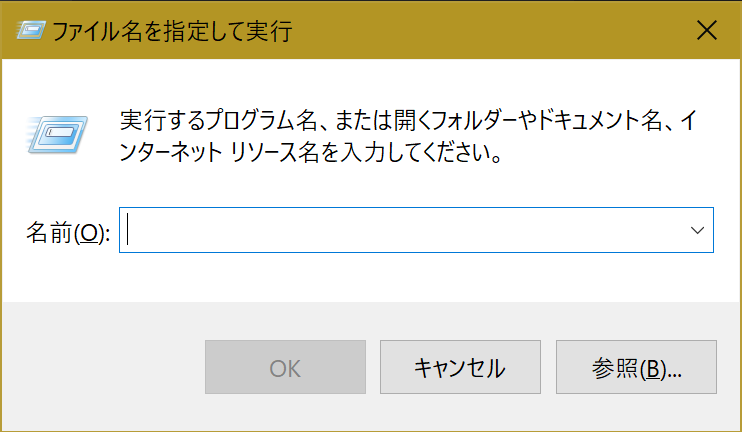
- Enter
%AppData%.
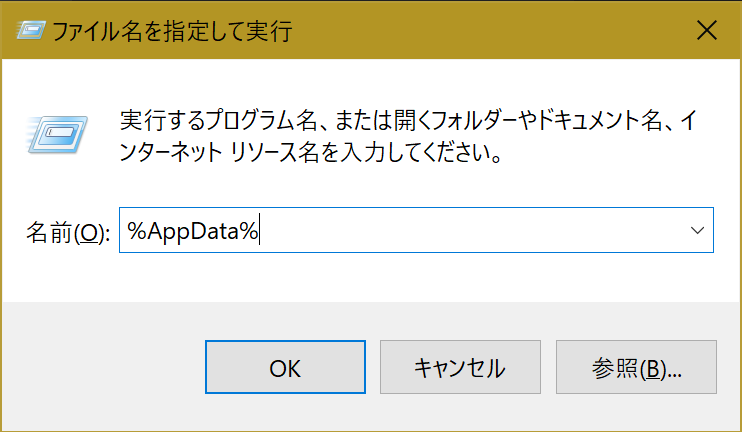
C:\Users\Username\AppData\Roaming will open.- Move up one level from step 3 to
C:\Users\Username\AppData.

- Move to the subfolder from step 4:
C:\Users\Username\AppData\LocalLow. - Move to the subfolder from step 5:
C:\Users\Username\AppData\LocalLow\Innersloth. - Move to the subfolder from step 6:
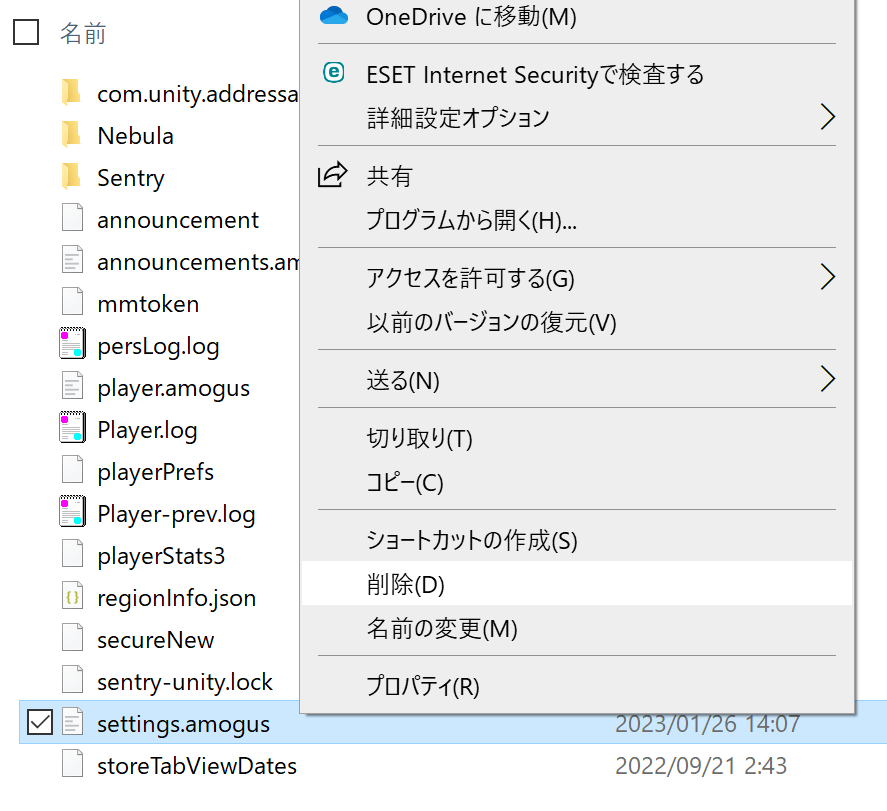
C:\Users\Username\AppData\LocalLow\Innersloth\Among Us. - Delete
settings.amogus.